> For the complete documentation index, see [llms.txt](https://docs.scoreholio.com/llms.txt). Markdown versions of documentation pages are available by appending `.md` to page URLs; this page is available as [Markdown](https://docs.scoreholio.com/tour-the-new-app.md).
# Tour the New Scoreholio App
Learn where the Scoreholio app keeps its most important features.
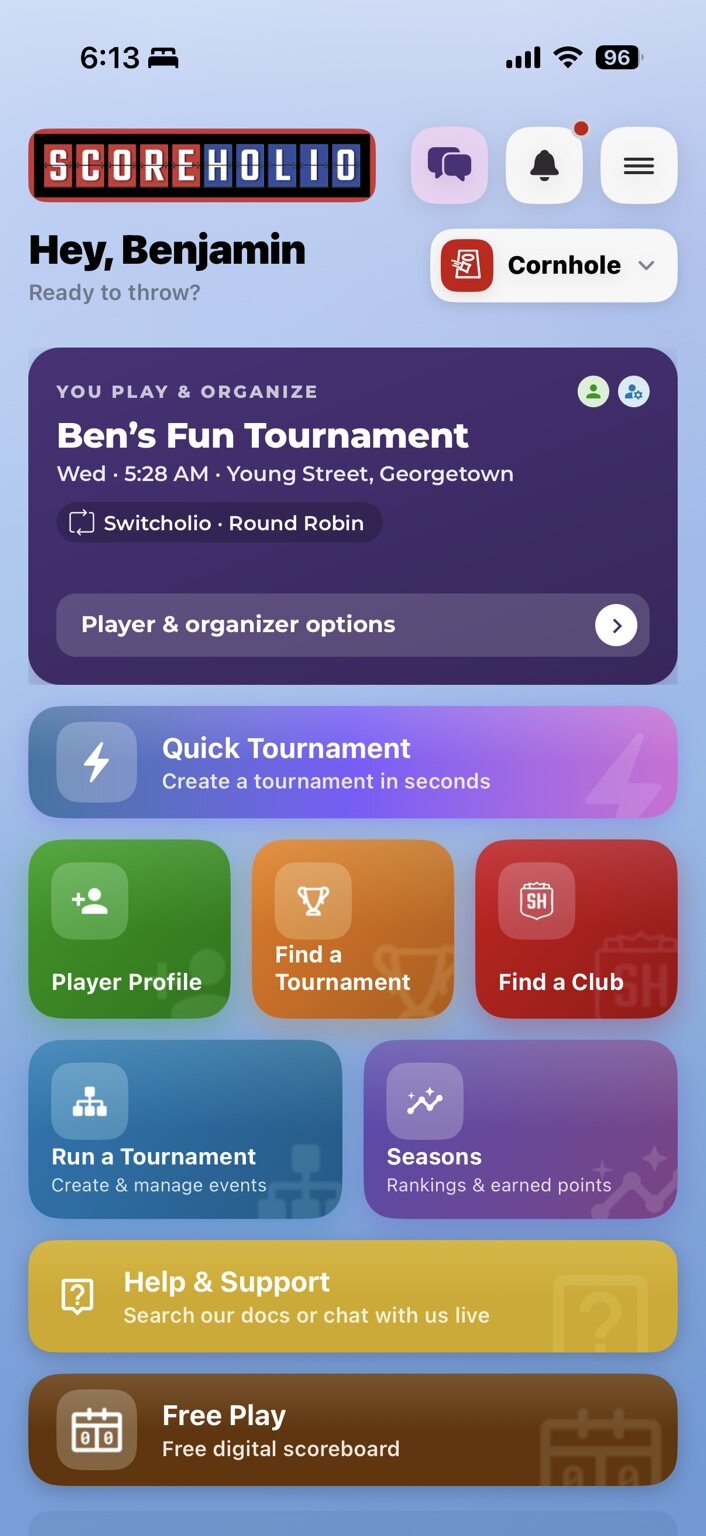
Scoreholio’s Home screen puts your important information, shortcuts, and account controls in one place.
The Scoreholio Home screen.
### At the top of the Home screen
* **Groups** opens conversations and group activity.
* **Notifications** shows recent alerts and updates.
* The **sport selector** switches between your available sports.
* The **menu button** opens **Options**.
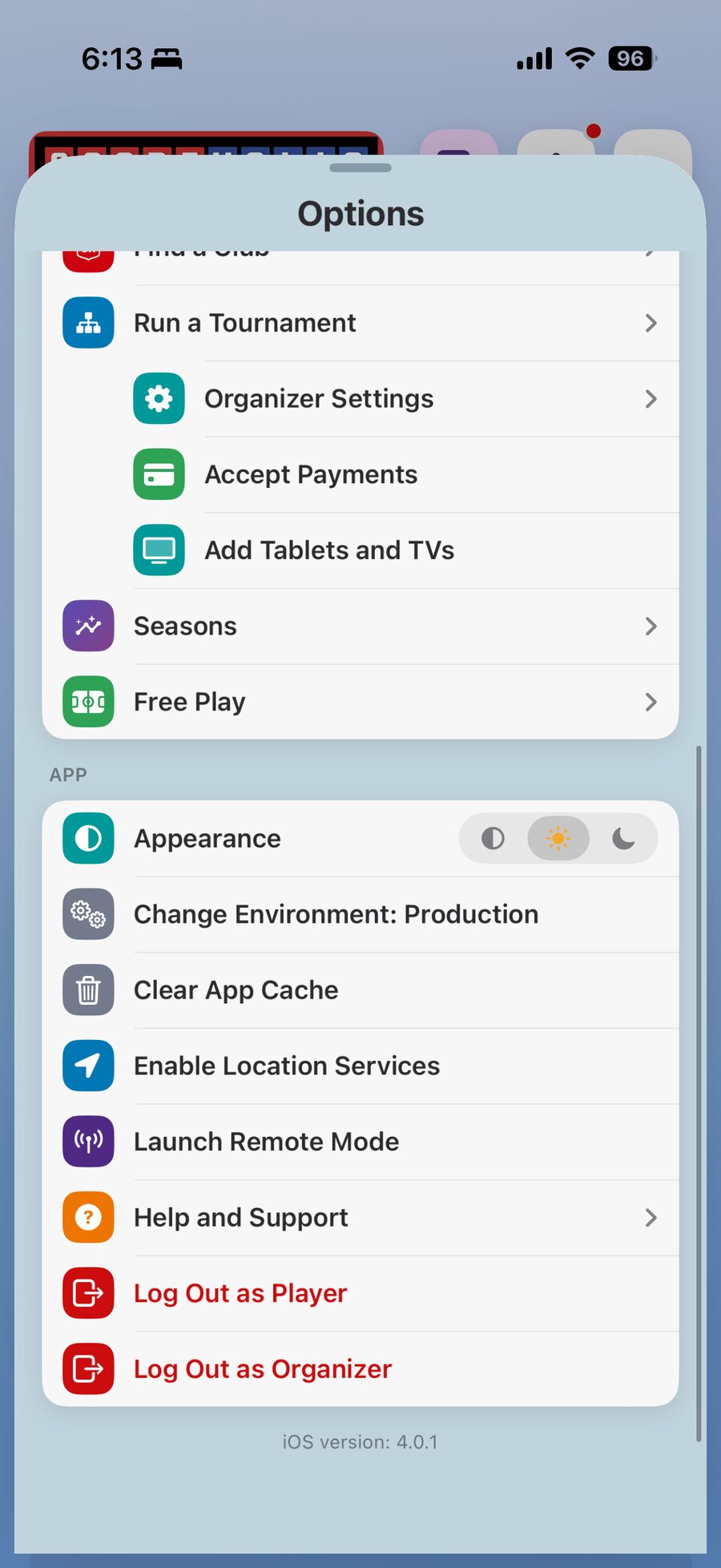
**Options** includes your current subscription plan, sport selection, player tools, organizer tools, app settings, **Help and Support**, and logout controls.
The top of the Options menu.
Additional navigation and app controls.
### Your main widget area
The large card near the top is a swipeable widget area. Available widgets can include:
* **Upcoming Events**, **Play History**, and **Active Seasons**
* **Discussions**, **Stats**, and **My Club**
Learn what each option shows in [Homepage Widgets](/player-help/player-help/customize-your-home-screen/homepage-widgets.md).
### Home screen shortcuts
* [**Player Profile**](/player-help/player-help/player-profile.md) — view your player information, tournament results, and comparisons.
* **Find a Tournament** — discover tournaments and registration opportunities.
* **Find a Club** — find Scoreholio clubs and communities.
* **Run a Tournament** — create and manage organized events.
* **Seasons** — view rankings and points earned across events.
* **Quick Tournament** — create a simple tournament in seconds.
* **Help & Support** — search documentation or contact support.
* **Free Play** — open a free digital scoreboard.
Available buttons can vary with your setup and customized layout.
### Make the Home screen yours
SPR+ subscribers can tailor the Home screen to fit their game:
* Move and resize buttons.
* Remove tools you do not use, or add buttons.
* Choose widgets for the swipeable area.
* Reset to the **Modern** or **Old School** layout.
* Save the layout to this device or your profile.
Saving to your profile makes that layout available on other devices.
See [Customize Your Home Screen](/player-help/player-help/customize-your-home-screen.md) for the complete walkthrough.
### Choose what you want to do next
* [Find a Tournament](/player-help/player-help/search.md)
* [Player Settings](/player-help/player-help/player-settings.md)
* [Customize Your Home Screen](/player-help/player-help/customize-your-home-screen.md)
* [Homepage Widgets](/player-help/player-help/customize-your-home-screen/homepage-widgets.md)
* [Create a Quick Tournament](/run-a-tournament/run-a-tournament/plan-and-create/quick-tournament.md)
* [Run a Tournament](/run-a-tournament/run-a-tournament.md)