> For the complete documentation index, see [llms.txt](https://docs.scoreholio.com/llms.txt). Markdown versions of documentation pages are available by appending `.md` to page URLs; this page is available as [Markdown](https://docs.scoreholio.com/track-points-across-events/track-points-across-events/season-setup.md).

# Create and Configure a Season

Set dates, ranking rules, public access and discussion permissions.

Create the season from the Seasons list, or open **Options → Manage → Season Setup** for an existing season. Inside this tab, select the **Season Setup** radio option. The other view, **Payments & Membership**, is covered in [Memberships and Payments](/track-points-across-events/track-points-across-events/memberships.md).

## Season name and dates

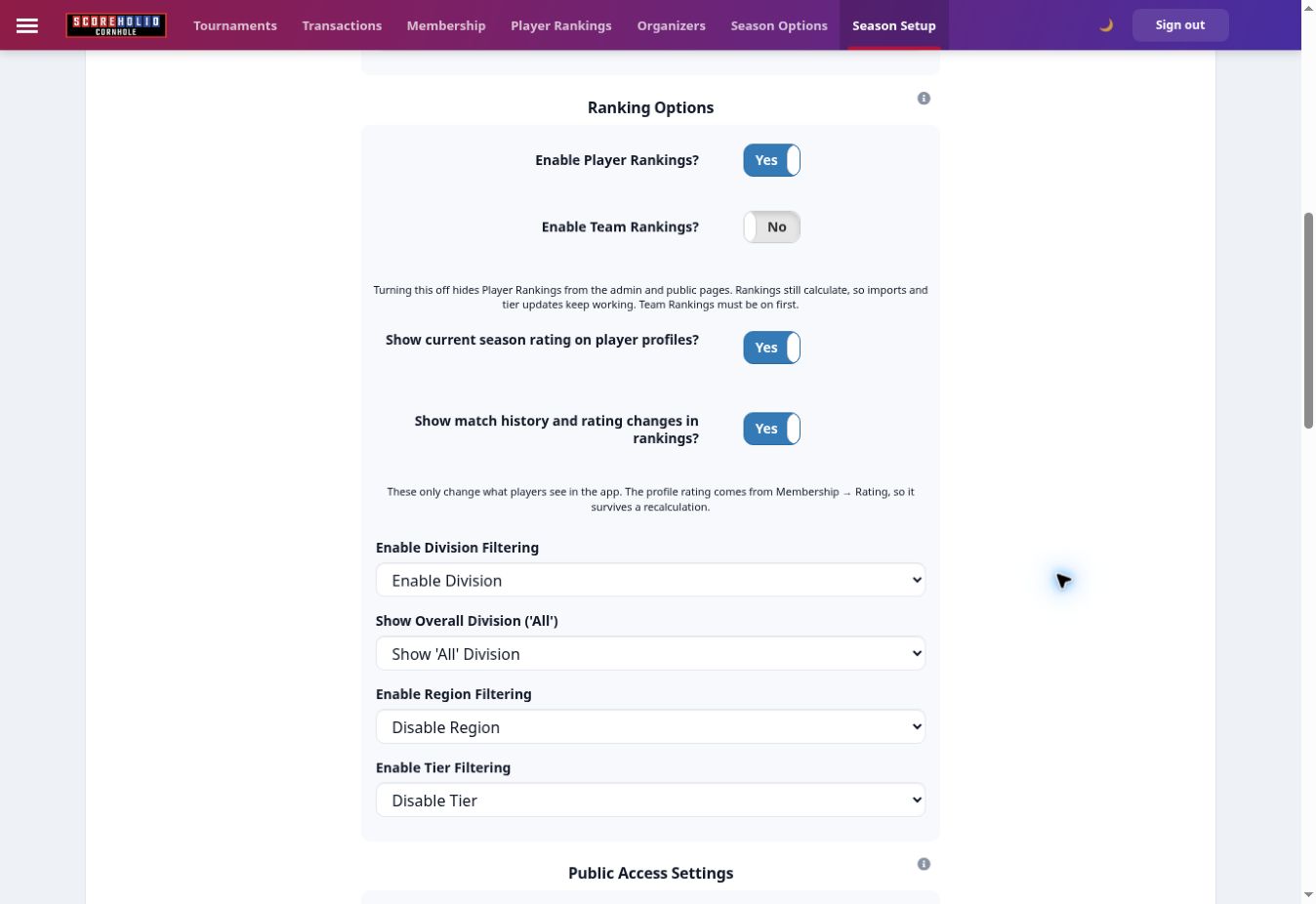
Enter your season name, organization name, start date and end date. Use a name players will recognize when looking for the season.

<figure><img src="https://2830358067-files.gitbook.io/~/files/v0/b/gitbook-x-prod.appspot.com/o/spaces%2F-MNzFwCQPtCEArD8DRaL%2Fuploads%2Fgit-blob-03f6e3f3889ae7cebab60eee1987eab6c36b0bac%2Fseasons-basics-20261005.jpg?alt=media" alt="Season details and three ordered tiebreakers." width="700"><figcaption><p>Season details and three ordered tiebreakers.</p></figcaption></figure>

## Choose tiebreakers

Choose up to three tiebreakers in priority order. The current choices include tournament counts, selected or season PPR/DPR, overall PPR/DPR, SPR, points scored and point differential. Choose **None** for an unused position. Match these choices to your published season rules.

## Configure rankings

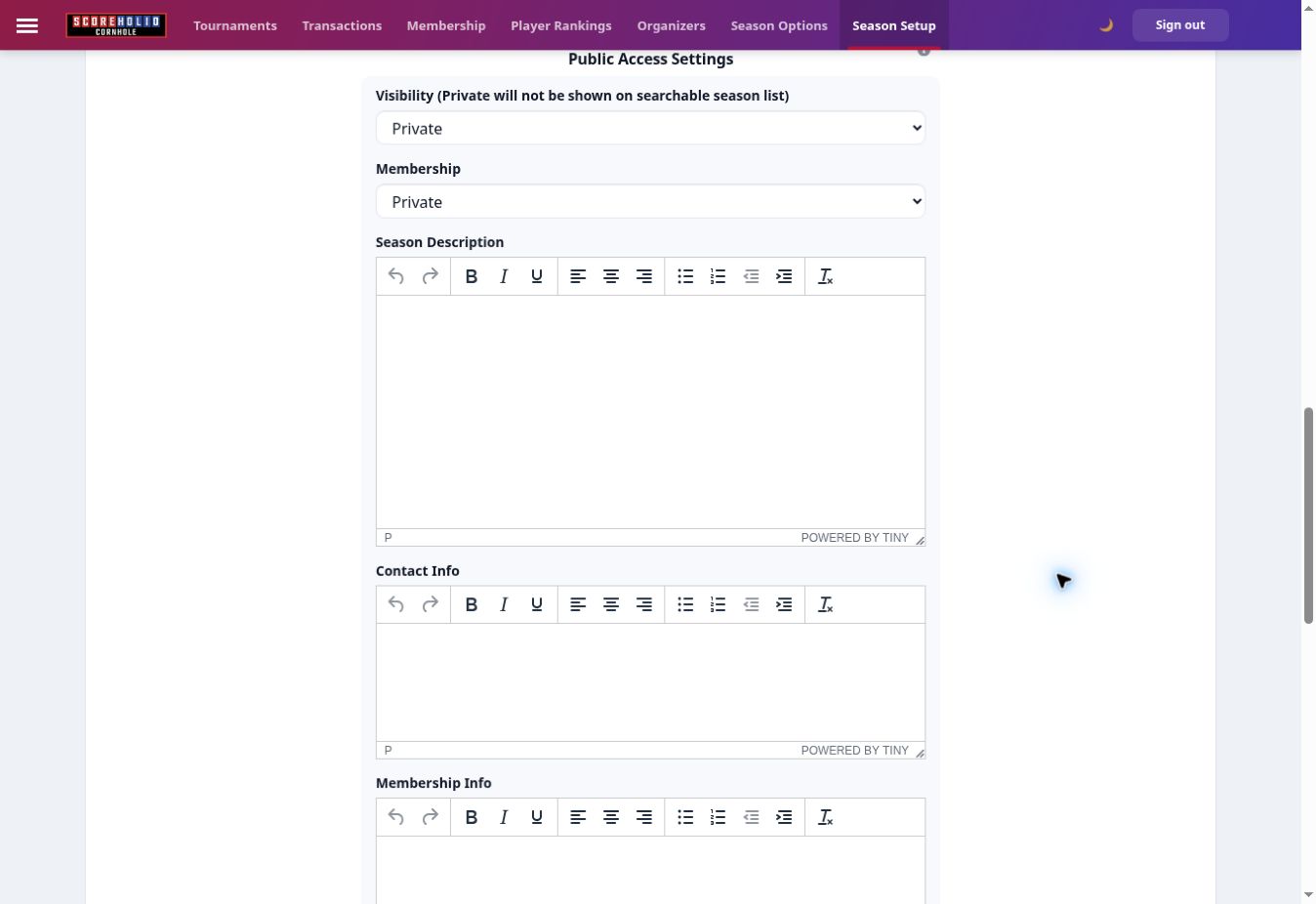
<figure><img src="https://2830358067-files.gitbook.io/~/files/v0/b/gitbook-x-prod.appspot.com/o/spaces%2F-MNzFwCQPtCEArD8DRaL%2Fuploads%2Fgit-blob-59089d1f13d1e789c8ea8cbba2c3d8a901605284%2Fseasons-ranking-settings-20261005.jpg?alt=media" alt="Player and team rankings, rating display and public ranking filters." width="700"><figcaption><p>Player and team rankings, rating display and public ranking filters.</p></figcaption></figure>

| Setting                                  | What to choose                                                                                                    |
| ---------------------------------------- | ----------------------------------------------------------------------------------------------------------------- |
| Player Rankings                          | Enable individual rankings. Turning the display off hides them in admin/public views while calculations continue. |
| Team Rankings                            | Enable for fixed team standings. Enable this before disabling Player Rankings.                                    |
| Current Season Rating on player profiles | Choose whether the season rating appears in the app.                                                              |
| Match-history rating changes             | Choose whether rating changes appear in app match history.                                                        |
| Division / Region / Tier filtering       | Enable the filters your public rankings need.                                                                     |
| Show All                                 | Choose whether players can view an all-divisions ranking.                                                         |

For individual points with changing doubles partners, keep Player Rankings enabled and turn Team Rankings off. Profile rating display is separate from [recalculating ratings](/track-points-across-events/track-points-across-events/season-ratings.md).

## Public access and season information

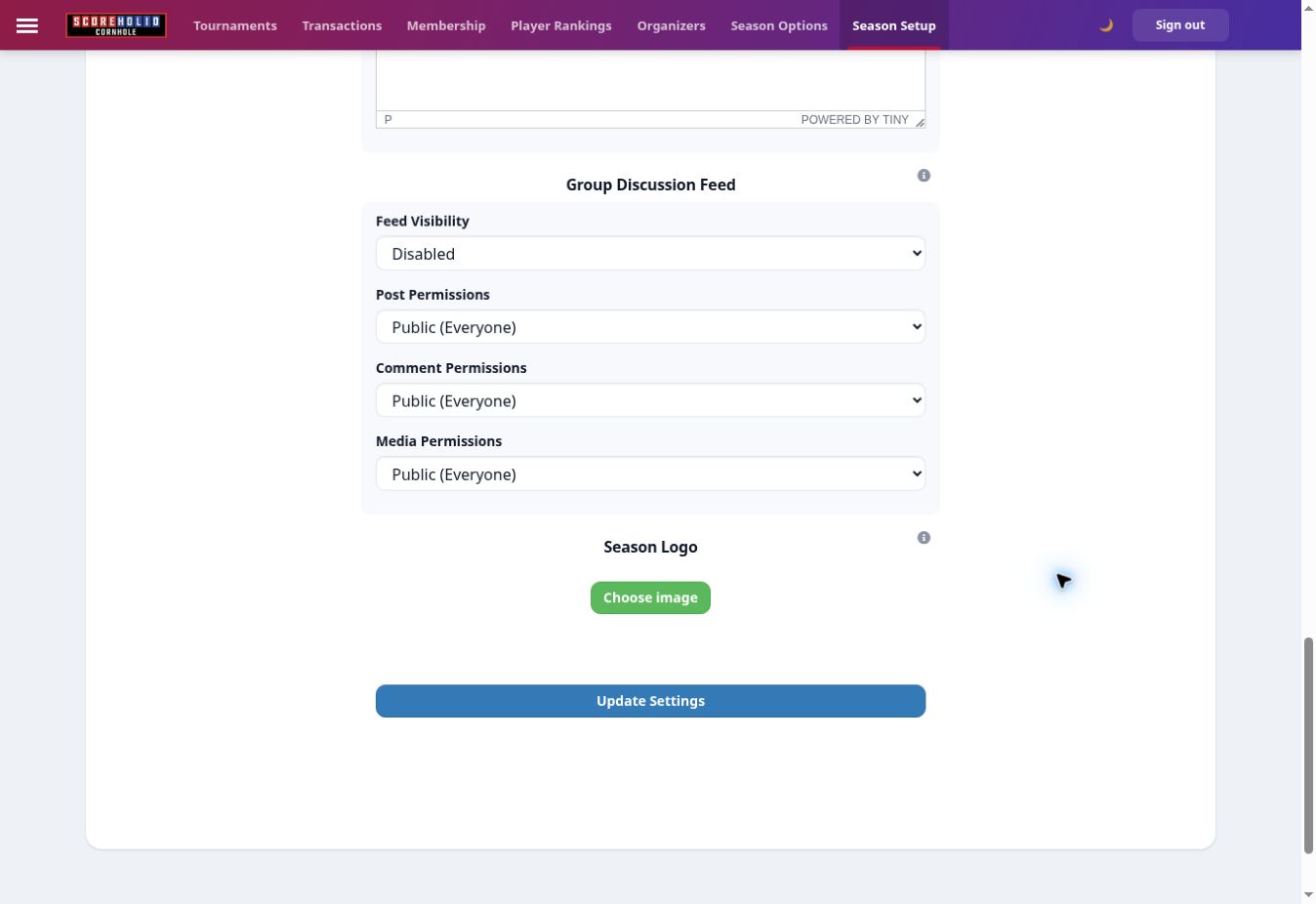
<figure><img src="https://2830358067-files.gitbook.io/~/files/v0/b/gitbook-x-prod.appspot.com/o/spaces%2F-MNzFwCQPtCEArD8DRaL%2Fuploads%2Fgit-blob-91a6335655ef7b4463570c072a2f8c62d694ab3a%2Fseasons-public-access-20261005.jpg?alt=media" alt="Visibility and membership access are separate choices." width="700"><figcaption><p>Visibility and membership access are separate choices.</p></figcaption></figure>

**Visibility** controls whether the season appears in the public season list. Choose **Public** or **Private**. A private season is not listed in search.

**Membership** controls joining: **Public**, **Private** or **Invitation Only**. Check this separately from Visibility. Add the description, contact information and membership information you want players to see.

## Discussion feed and logo

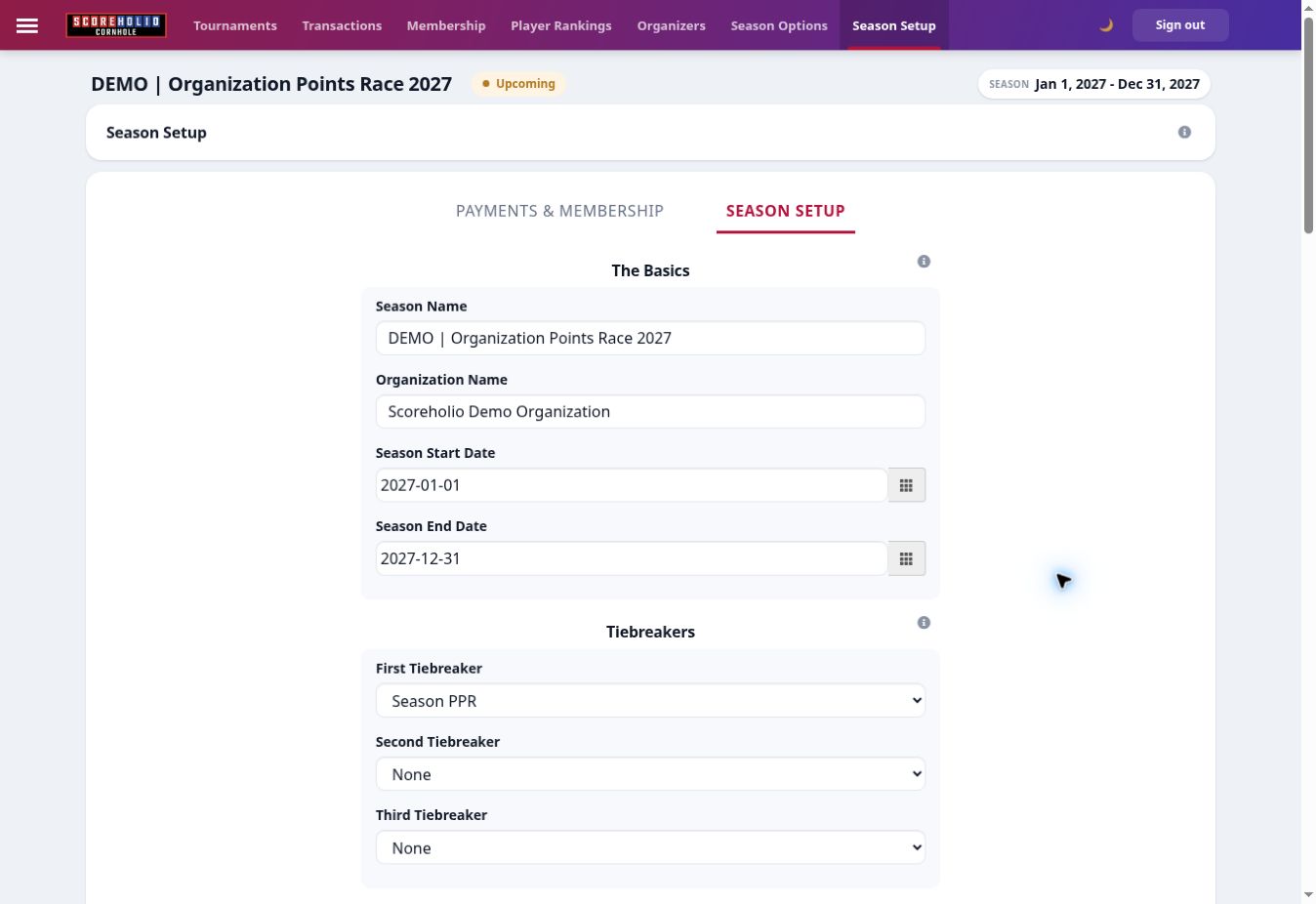
<figure><img src="https://2830358067-files.gitbook.io/~/files/v0/b/gitbook-x-prod.appspot.com/o/spaces%2F-MNzFwCQPtCEArD8DRaL%2Fuploads%2Fgit-blob-03595c041005eab35c0694dac9d834dfed2dae39%2Fseasons-discussion-settings-20261005.jpg?alt=media" alt="Discussion permissions, season logo and Update Settings." width="700"><figcaption><p>Discussion permissions, season logo and Update Settings.</p></figcaption></figure>

Choose feed visibility (**Public**, **Members Only** or **Disabled**) and who can post, comment and upload media (**Public**, **Members Only** or **Organizer Only**). Upload a season logo, then select **Update Settings** to save this view.

## Setting up Payments

Use [payment connections](/track-points-across-events/track-points-across-events/memberships.md#setting-up-payments) in **Payments & Membership**.

## Membership Options

Use [membership rules](/track-points-across-events/track-points-across-events/memberships.md#membership-options) to control free memberships, payment methods, eligibility and start dates.

## Membership Fees

See [Membership Fees](/track-points-across-events/track-points-across-events/memberships.md#membership-fees) before offering paid memberships.

### Sample Fee Schedule

The old approximate payout examples have been replaced by [current fee guidance](/track-points-across-events/track-points-across-events/memberships.md#membership-fees). Check checkout and provider terms before calculating a payout.

## Signing up for a Membership

See [player signup](/track-points-across-events/track-points-across-events/memberships.md#signing-up-for-a-membership).

### From the web

Players use the season's public Membership tab. See [web signup](/track-points-across-events/track-points-across-events/memberships.md#from-the-web).

### From the App

Players open their season in the app and select Membership. See [app signup](/track-points-across-events/track-points-across-events/memberships.md#from-the-app).

## Sharing your membership tab

See [sharing the membership page](/track-points-across-events/track-points-across-events/memberships.md#sharing-your-membership-tab).

## Setting up Memberships

Create [levels and payment options](/track-points-across-events/track-points-across-events/season-options.md#set-player-membership-levels), then configure [membership rules and member records](/track-points-across-events/track-points-across-events/memberships.md).