> For the complete documentation index, see [llms.txt](https://docs.scoreholio.com/llms.txt). Markdown versions of documentation pages are available by appending `.md` to page URLs; this page is available as [Markdown](https://docs.scoreholio.com/track-points-across-events/track-points-across-events/season-ratings.md).

# Season Ratings

Configure a separate rating based on games submitted to your season.

## What is it?

Season Ratings use the [Scoreholio Player Rating calculation](/player-help/player-help/spr+-1.md) with games submitted to your season. This gives your season its own rating alongside the points standings.

**Points** come from your point options and pools. **Season Rating** measures performance using the season's games. A **Tier** can assign a player to a rating range; it does not replace their Division or Membership Level.

## What are the ratings?

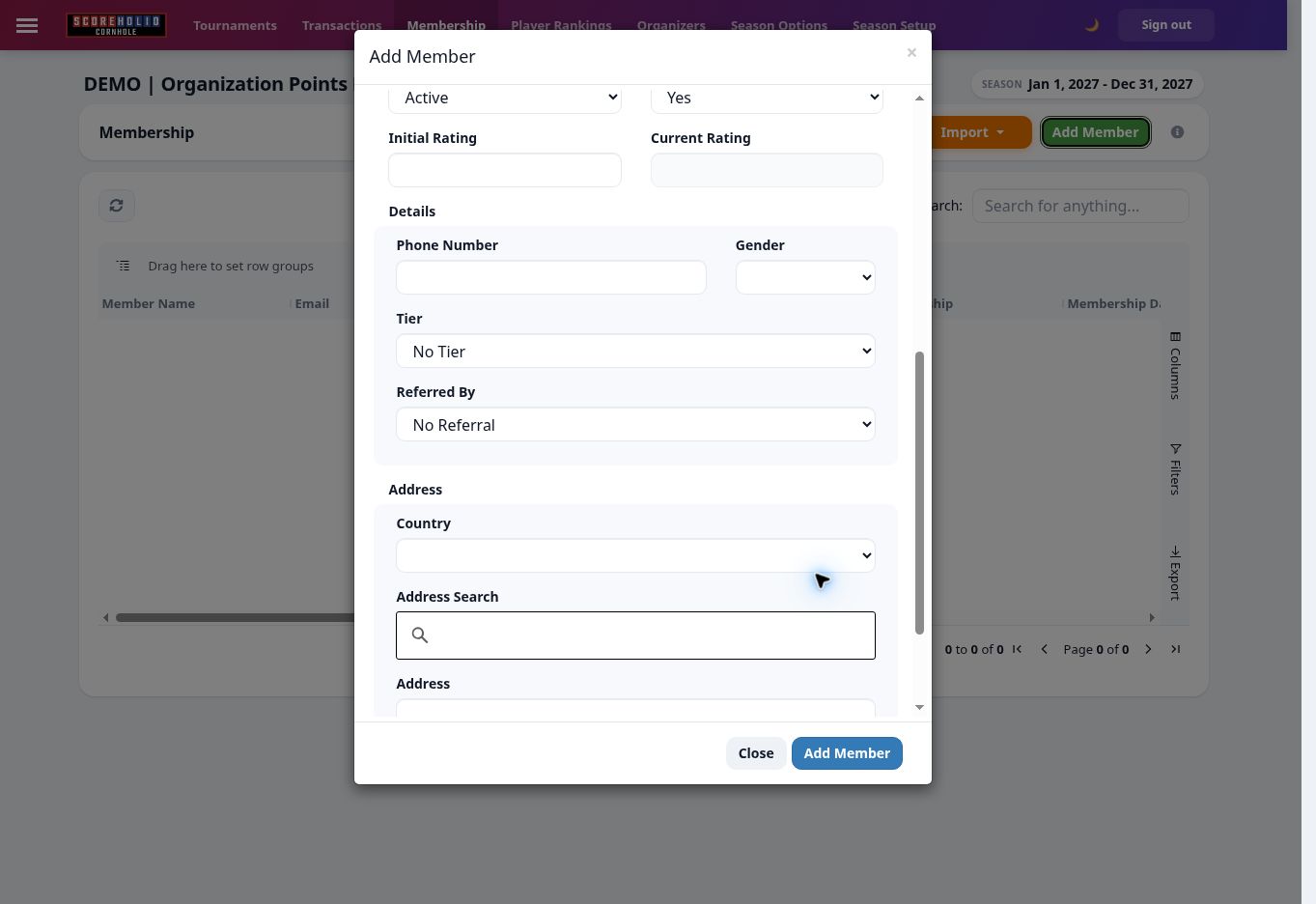
The rating scale is **0–1000**, with a default starting rating of **500**. Open **Membership → Add Member** or the existing member record to set **Initial Rating**. The calculated **Current Rating** is a separate field.

<figure><img src="https://2830358067-files.gitbook.io/~/files/v0/b/gitbook-x-prod.appspot.com/o/spaces%2F-MNzFwCQPtCEArD8DRaL%2Fuploads%2Fgit-blob-3e7e63632cc62b86643b3de5e2e51ace9ba84229%2Fseasons-member-rating-20261005.jpg?alt=media" alt="Initial Rating is the starting value; Current Rating is calculated." width="700"><figcaption><p>Initial Rating is the starting value; Current Rating is calculated.</p></figcaption></figure>

## Where to calculate the Season Ratings

Open **Player Rankings** and use **Recalculate Players**. Eligible submitted results provide the season's game data. Check event approvals and membership eligibility if results are missing.

### Show ratings in the app

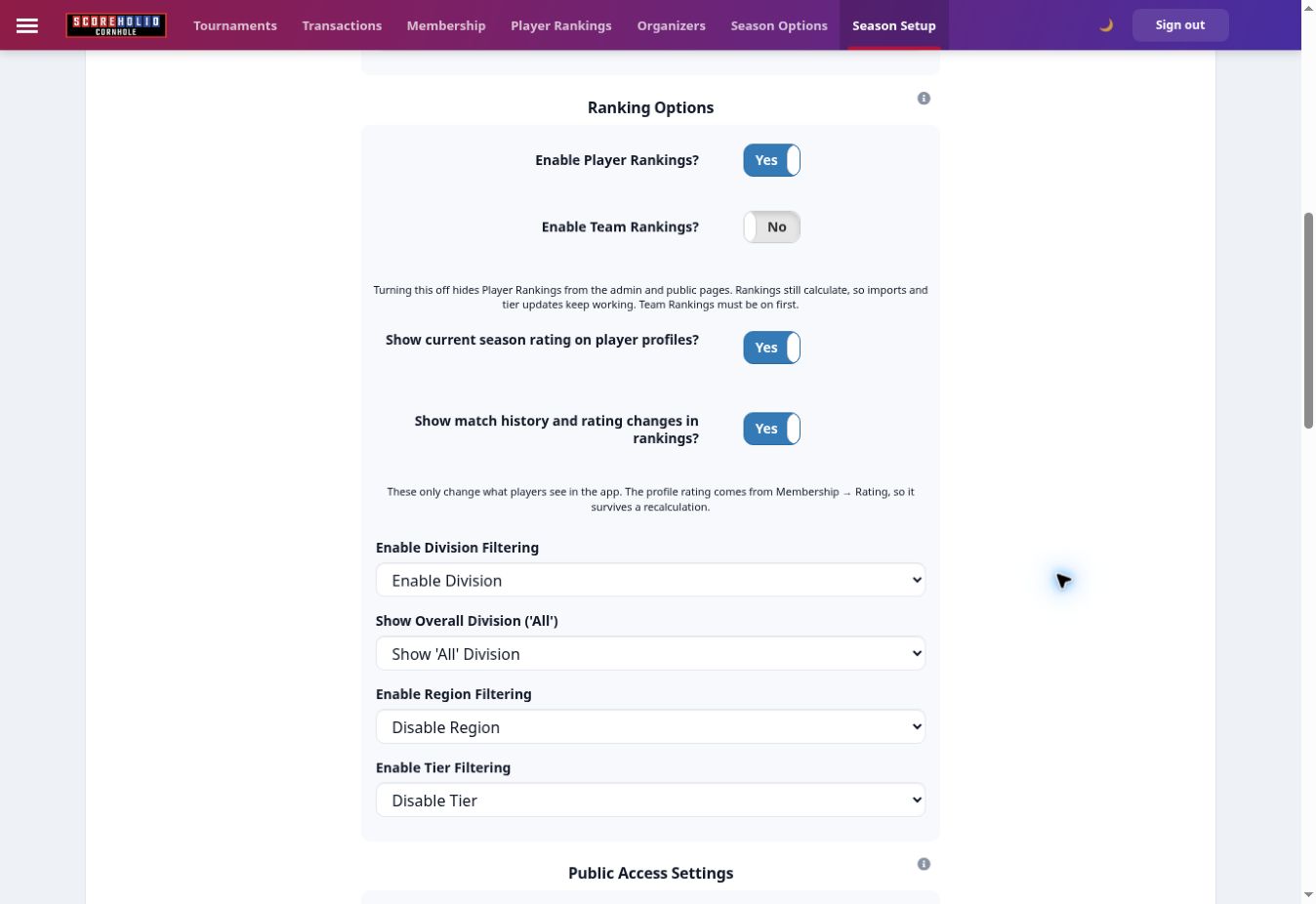
In **Season Setup → Season Setup**, choose whether to show the current season rating on player profiles and whether to show rating changes in match history, then select **Update Settings**.

<figure><img src="https://2830358067-files.gitbook.io/~/files/v0/b/gitbook-x-prod.appspot.com/o/spaces%2F-MNzFwCQPtCEArD8DRaL%2Fuploads%2Fgit-blob-59089d1f13d1e789c8ea8cbba2c3d8a901605284%2Fseasons-ranking-settings-20261005.jpg?alt=media" alt="Rating display settings are separate from the calculation." width="700"><figcaption><p>Rating display settings are separate from the calculation.</p></figcaption></figure>

These switches change what the app displays. The profile rating comes from the member's Rating value; changing display settings does not reset it.

### Assign rating tiers

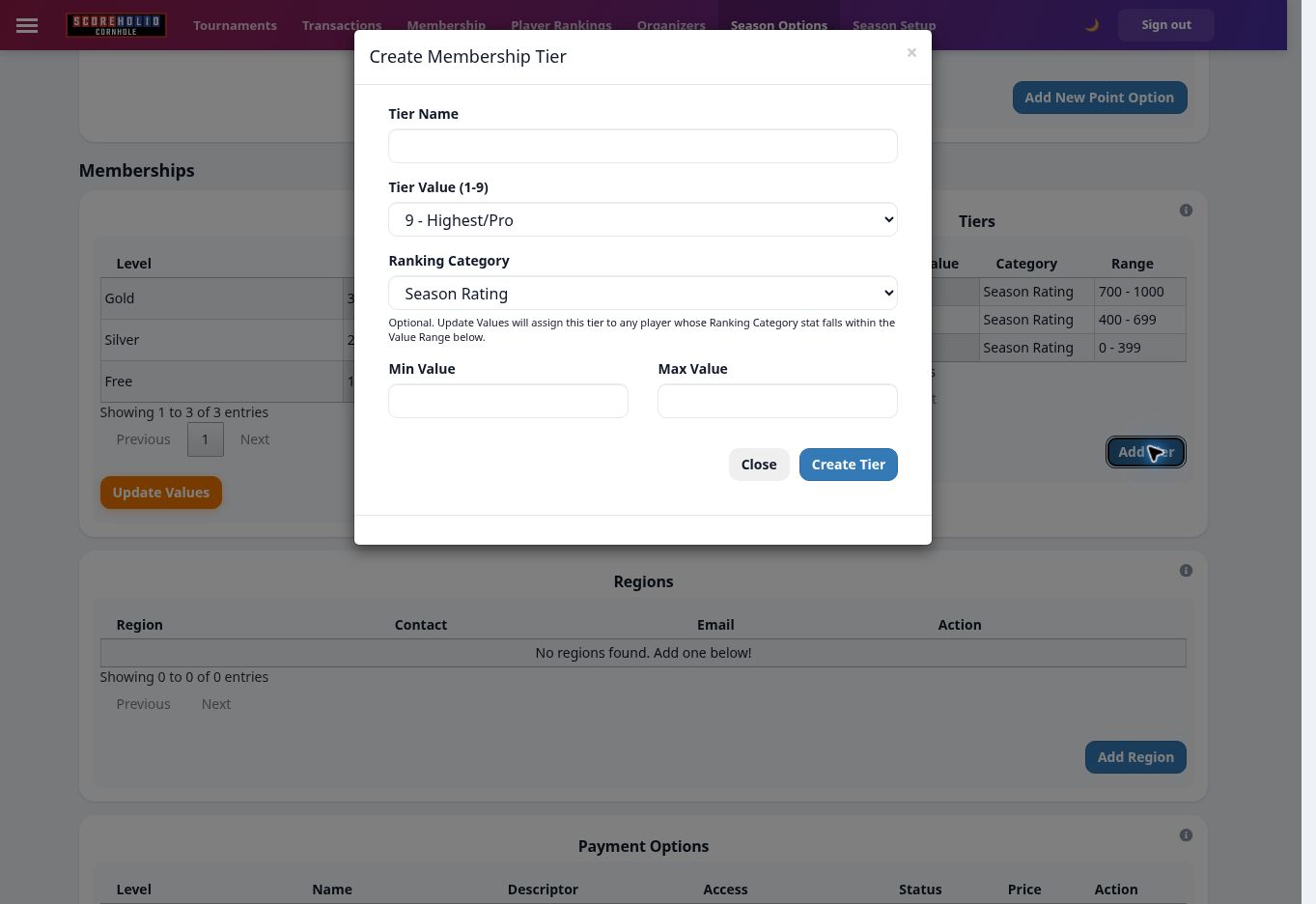
In **Season Options → Tiers**, choose **Season Rating** and set the inclusive minimum/maximum. The demo uses Social 0–399, Competitive 400–699 and Advanced 700–1000.

<figure><img src="https://2830358067-files.gitbook.io/~/files/v0/b/gitbook-x-prod.appspot.com/o/spaces%2F-MNzFwCQPtCEArD8DRaL%2Fuploads%2Fgit-blob-33d03ba09fbca1409da9b9acbac6a34141851327%2Fseasons-tier-form-20261005.jpg?alt=media" alt="Use Season Rating as the tier category and enter its range." width="700"><figcaption><p>Use Season Rating as the tier category and enter its range.</p></figcaption></figure>

After reviewing your ranges, use **Update Values** in the Tiers card to preview affected members before applying assignments. See [rating tiers](/track-points-across-events/track-points-across-events/season-options.md#assign-rating-based-tiers) for the distinction between Tier and Division.