> For the complete documentation index, see [llms.txt](https://docs.scoreholio.com/llms.txt). Markdown versions of documentation pages are available by appending `.md` to page URLs; this page is available as [Markdown](https://docs.scoreholio.com/player-help/player-help/free-play-scoreboard.md).

# Free Play Scoreboard

Keep score for a casual game, track advanced stats with ScoreMagic, or share a scoreboard across devices.

Use **Free Play** when you want a scoreboard without creating a tournament.

## Open Free Play

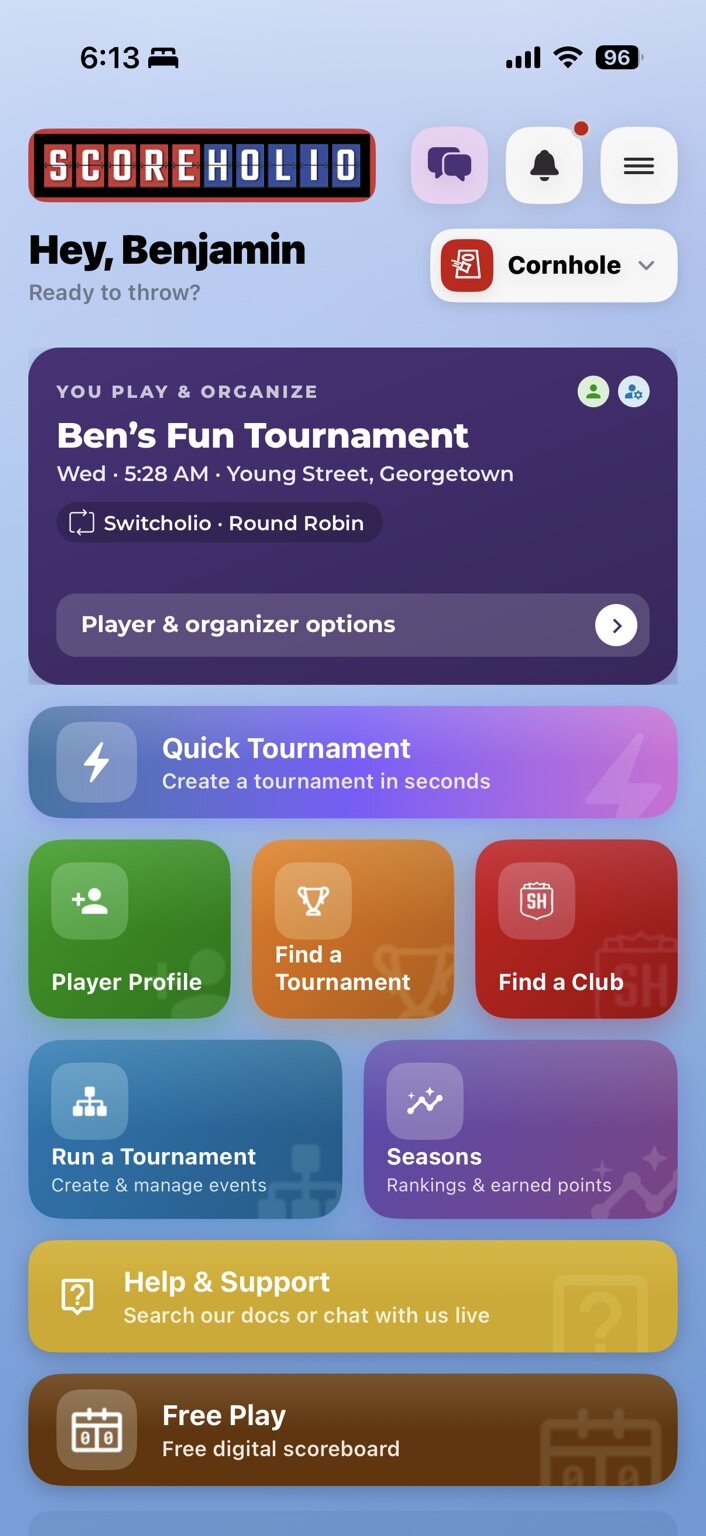
1. From the Home screen, select the brown **Free Play** button.
2. Select the **top half** of a score number to add a point, or select the **bottom half** to subtract a point.
3. To change either side's color, select its color wheel.

<figure><img src="https://2830358067-files.gitbook.io/~/files/v0/b/gitbook-x-prod.appspot.com/o/spaces%2F-MNzFwCQPtCEArD8DRaL%2Fuploads%2Fgit-blob-2c2ace5b485777c4075e00c66dbdba5a522909f7%2Ftour-home-light.jpg?alt=media" alt="Scoreholio Home screen with the brown Free Play button"><figcaption><p>Select Free Play on the Home screen.</p></figcaption></figure>

## Use the basic scoreboard

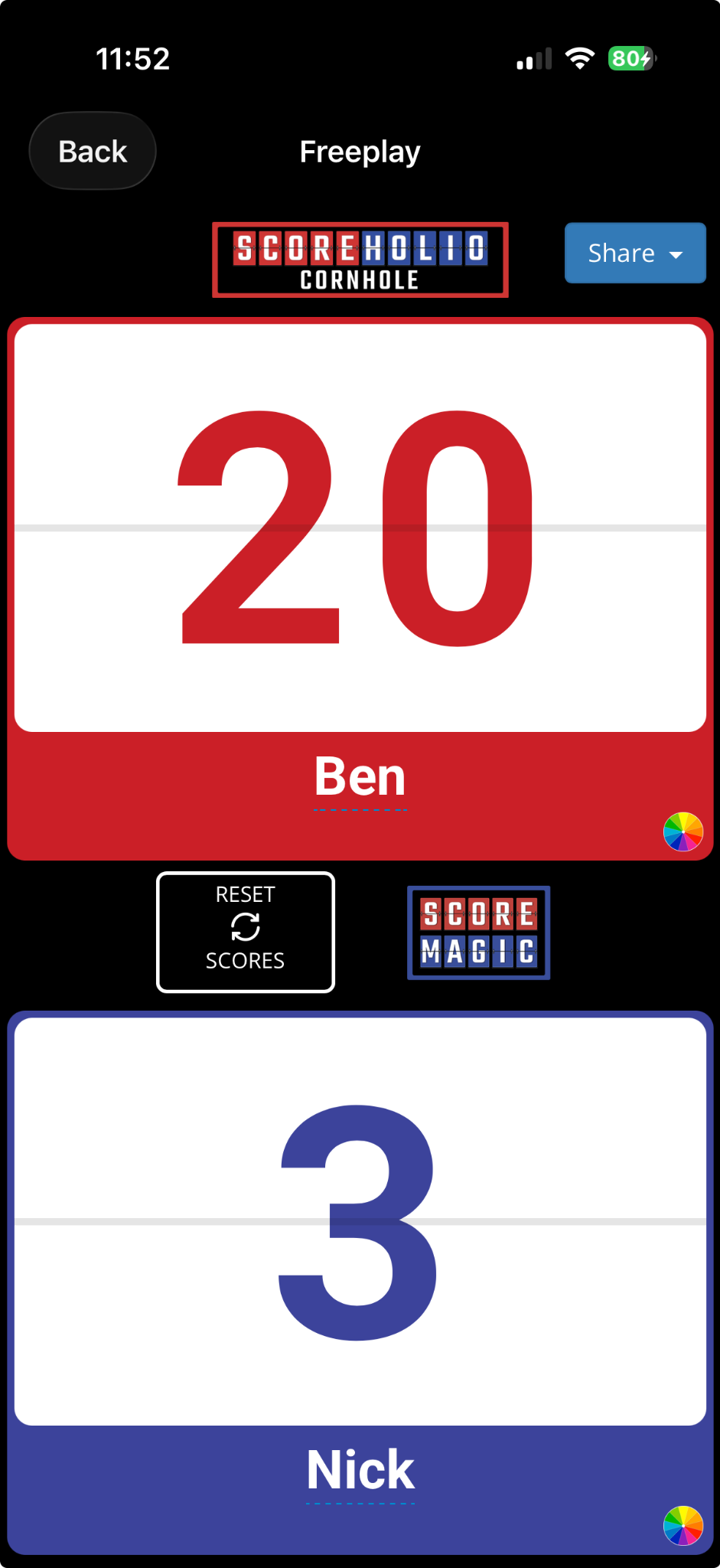
The basic scoreboard is available for **every sport**. It gives both sides a large score display and a reset control.

<figure><img src="https://2830358067-files.gitbook.io/~/files/v0/b/gitbook-x-prod.appspot.com/o/spaces%2F-MNzFwCQPtCEArD8DRaL%2Fuploads%2Fgit-blob-6e19998c5b9759a11e35652b885e00262e9d1ee1%2Ffree-play-basic-scoreboard.png?alt=media" alt="Basic Free Play scoreboard showing Ben leading Nick 20 to 3"><figcaption><p>Basic scoring is available for every sport.</p></figcaption></figure>

## Track advanced stats with ScoreMagic

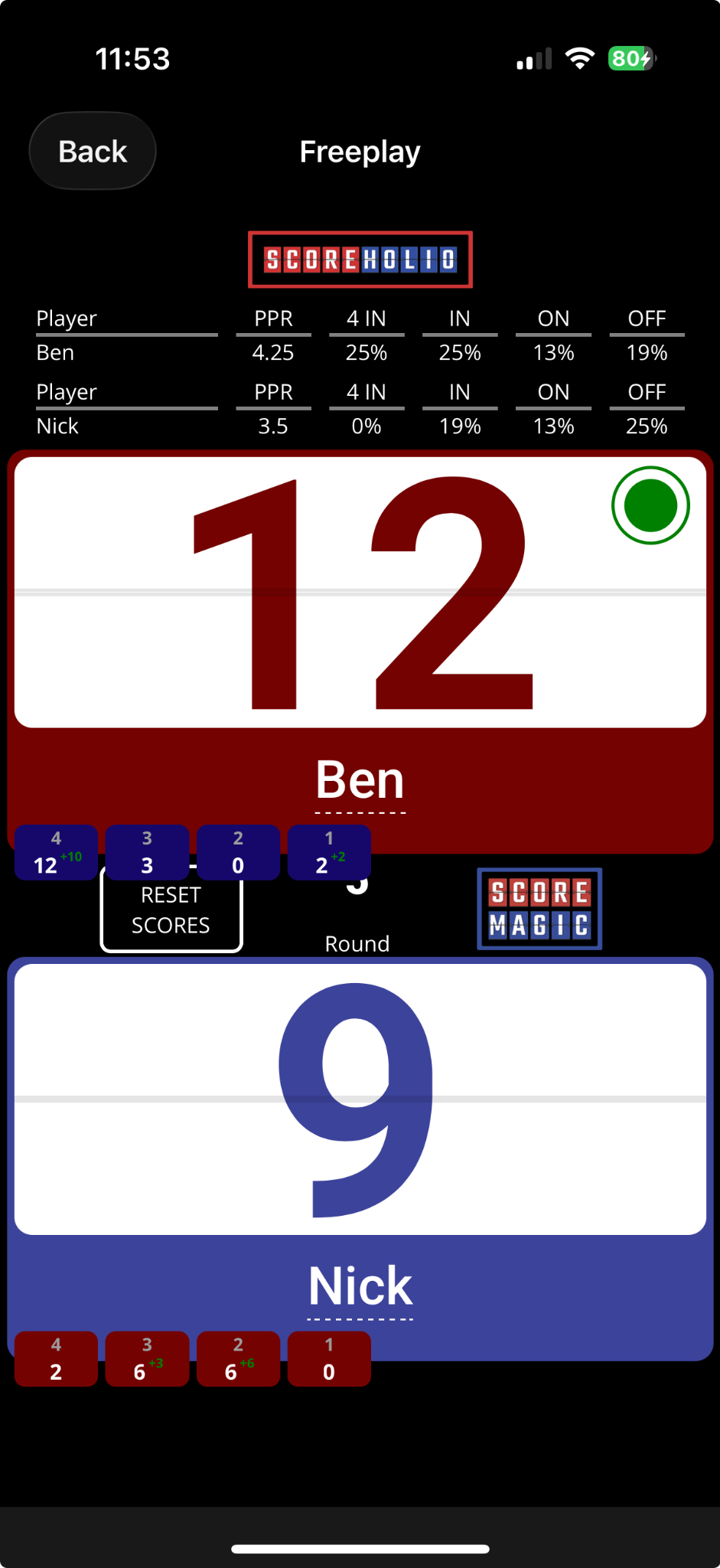
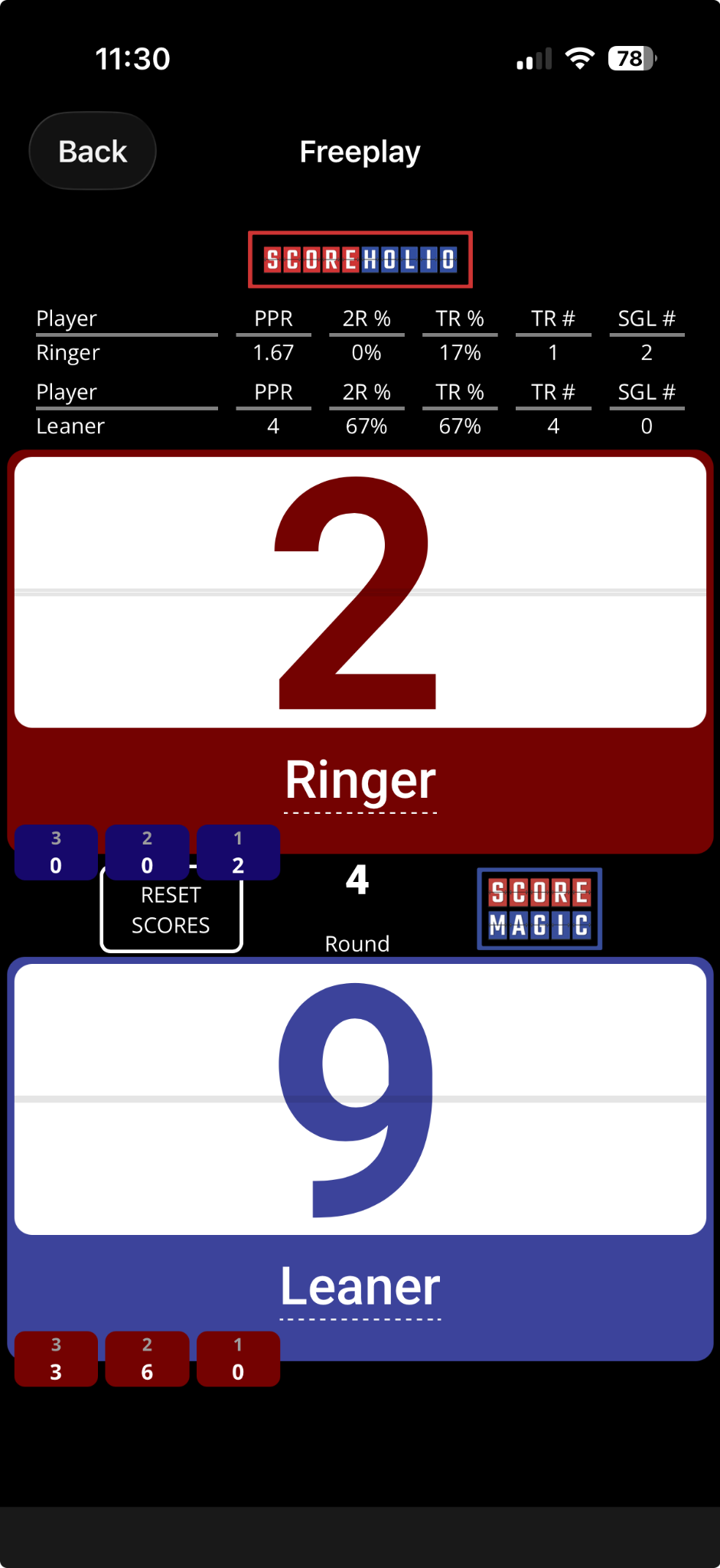
Free Play includes ScoreMagic scoring for **cornhole** and **horseshoes**.

Select the **ScoreMagic logo in the middle of the scoreboard** to switch from basic scoring to ScoreMagic.

<div><figure><img src="https://2830358067-files.gitbook.io/~/files/v0/b/gitbook-x-prod.appspot.com/o/spaces%2F-MNzFwCQPtCEArD8DRaL%2Fuploads%2Fgit-blob-3b46b6ed1e404361e6f426460cff1aeb5e7a806d%2Ffree-play-scoremagic-cornhole.png?alt=media" alt="Cornhole ScoreMagic scoreboard showing Ben and Nick with PPR and bag-result statistics"><figcaption><p>Cornhole ScoreMagic tracks PPR and bag results.</p></figcaption></figure> <figure><img src="https://2830358067-files.gitbook.io/~/files/v0/b/gitbook-x-prod.appspot.com/o/spaces%2F-MNzFwCQPtCEArD8DRaL%2Fuploads%2Fgit-blob-54e3f1dff6e8eedb9a21447d61f88afab91d15b6%2Ffree-play-scoremagic-horseshoes.png?alt=media" alt="Horseshoes ScoreMagic scoreboard showing Ringer and Leaner with advanced throwing statistics"><figcaption><p>Horseshoes ScoreMagic tracks ringers and other throwing statistics.</p></figcaption></figure></div>

## Share a scoreboard with another device

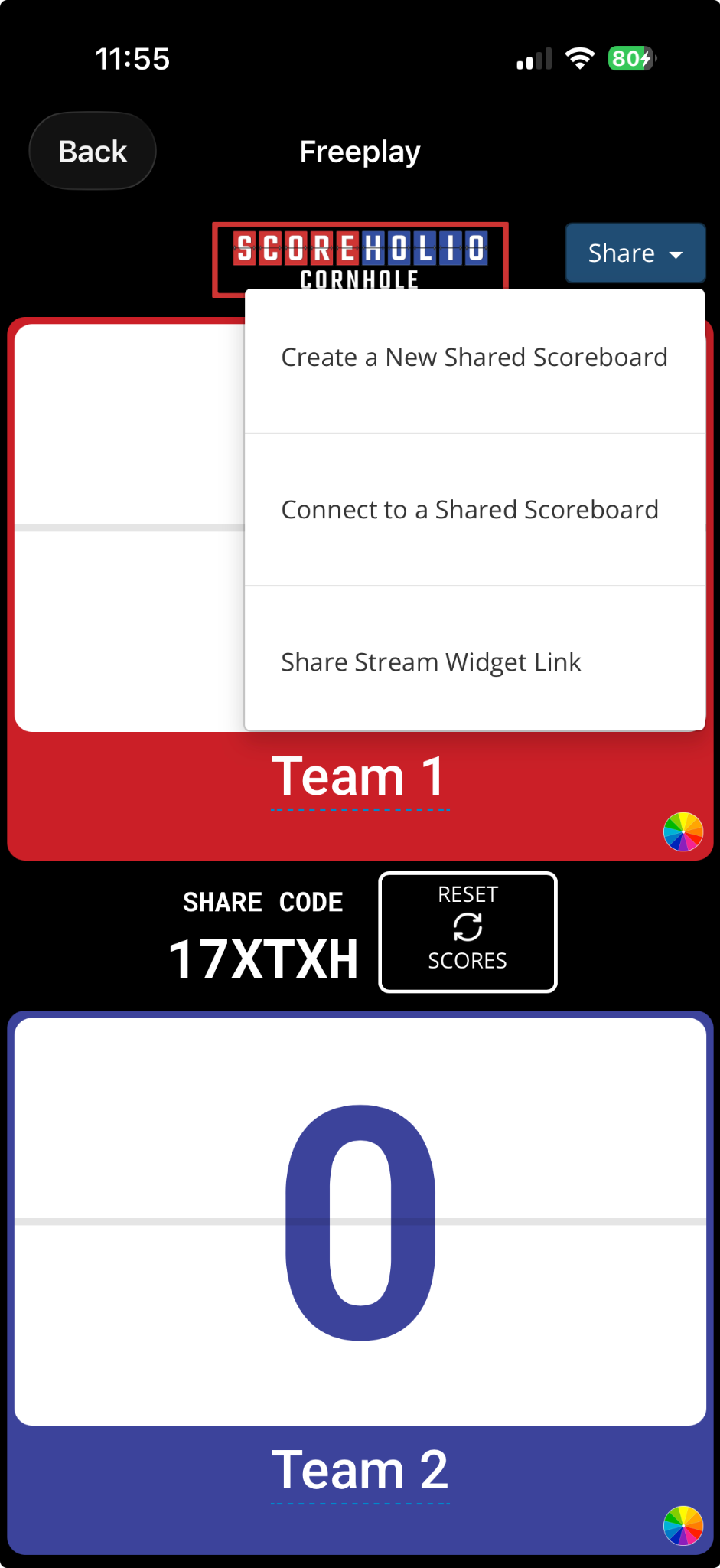
Link two devices so they show the same live score:

1. Select **Share**.
2. Select **Create a New Shared Scoreboard**.
3. Note the share code that appears in the middle of the scoreboard.
4. On the other device, open **Free Play** and select **Share**.
5. Select **Connect to a Shared Scoreboard** and enter the code.

The two devices will link and display the same scoreboard.

<figure><img src="https://2830358067-files.gitbook.io/~/files/v0/b/gitbook-x-prod.appspot.com/o/spaces%2F-MNzFwCQPtCEArD8DRaL%2Fuploads%2Fgit-blob-dde61670c8f716c30028831604cf308e3a41407f%2Ffree-play-shared-scoreboard.png?alt=media" alt="Free Play Share menu with options to create or connect to a shared scoreboard and a share code in the middle"><figcaption><p>Create a shared scoreboard, then enter its code on the other device.</p></figcaption></figure>

## Use Free Play on a computer or bigger screen

Open the [Free Play scoreboard on the web](https://app.scoreholio.com/scoreboard-freeplay) from a computer.

Use **Share** there too when you want to link another device or display the scoreboard on a bigger screen.