> For the complete documentation index, see [llms.txt](https://docs.scoreholio.com/llms.txt). Markdown versions of documentation pages are available by appending `.md` to page URLs; this page is available as [Markdown](https://docs.scoreholio.com/player-help/player-help/player-settings.md).

# Player Settings

Update your player information, avatar, sport settings, rankings, and notifications.

Use Player Settings to manage the information and preferences connected to your player account.

## Open Player Settings

Follow these two screens to open Player Settings:

| 1. Open Player Settings                                                                                                                                                                                                                                                                | 2. Choose a category                                                                                                                                                                                                                                                                       |
| -------------------------------------------------------------------------------------------------------------------------------------------------------------------------------------------------------------------------------------------------------------------------------------- | ------------------------------------------------------------------------------------------------------------------------------------------------------------------------------------------------------------------------------------------------------------------------------------------ |
| ![Player Options menu showing Player Settings beneath Player Profile](https://2830358067-files.gitbook.io/~/files/v0/b/gitbook-x-prod.appspot.com/o/spaces%2F-MNzFwCQPtCEArD8DRaL%2Fuploads%2Fgit-blob-e1fb3820a12984da878c57b92438555c93d3713c%2Fplayer-account-logout.jpg?alt=media) | ![Player Settings with Personal, Sports, and Notifications categories](https://2830358067-files.gitbook.io/~/files/v0/b/gitbook-x-prod.appspot.com/o/spaces%2F-MNzFwCQPtCEArD8DRaL%2Fuploads%2Fgit-blob-00f6cbde8c3665c0c990f4ce02674b26724117b1%2Fplayer-settings-overview.jpg?alt=media) |
| Open the top-right menu and tap **Player Settings**.                                                                                                                                                                                                                                   | Choose **Personal**, **Sports**, or **Notifications**.                                                                                                                                                                                                                                     |

## Personal

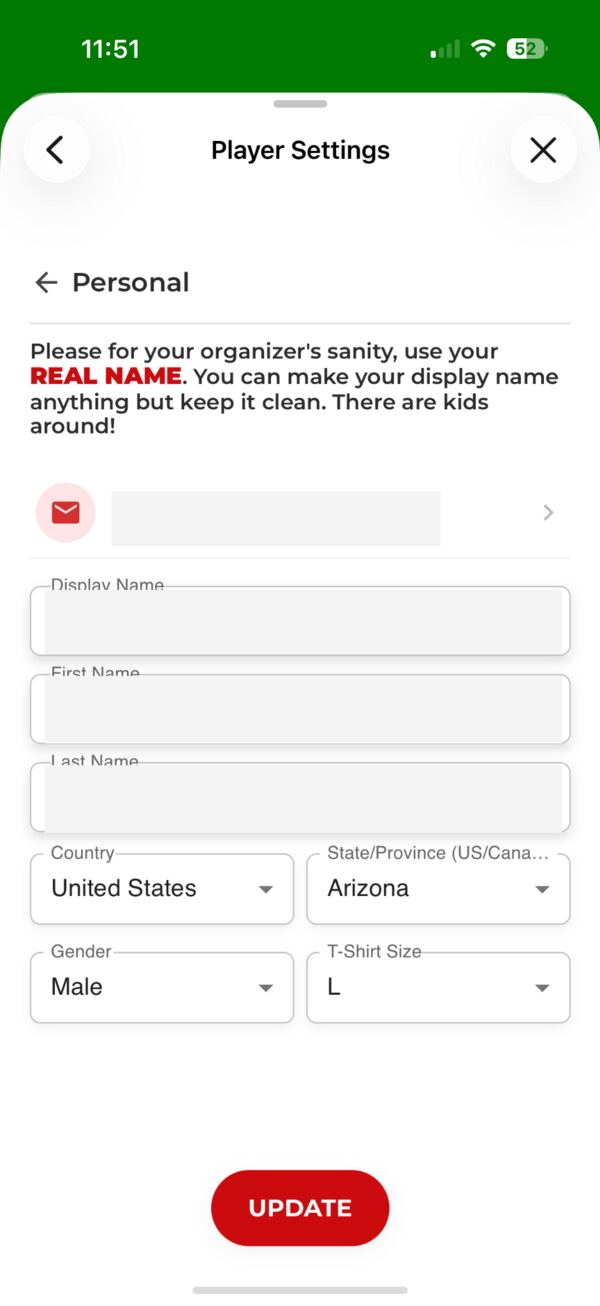
Open **Personal** to update your:

* Email address
* Display name
* First and last name
* Country and state or province
* Gender
* T-shirt size

Tap **Update** after making changes.

<figure><img src="https://2830358067-files.gitbook.io/~/files/v0/b/gitbook-x-prod.appspot.com/o/spaces%2F-MNzFwCQPtCEArD8DRaL%2Fuploads%2Fgit-blob-154d9c7a867db626bbc96cb75f4850176a8fe007%2Fplayer-settings-personal.jpg?alt=media" alt="Personal section of Player Settings"><figcaption><p>Use your real first and last name so organizers can identify you correctly.</p></figcaption></figure>

{% hint style="warning" %}
To change your email address yourself, you must be able to access both the current and new email accounts. If you cannot access both, [contact support](/subscriptions-and-accounts/subscriptions-and-accounts/help-and-support/live-chat.md).
{% endhint %}

## Sports and rankings

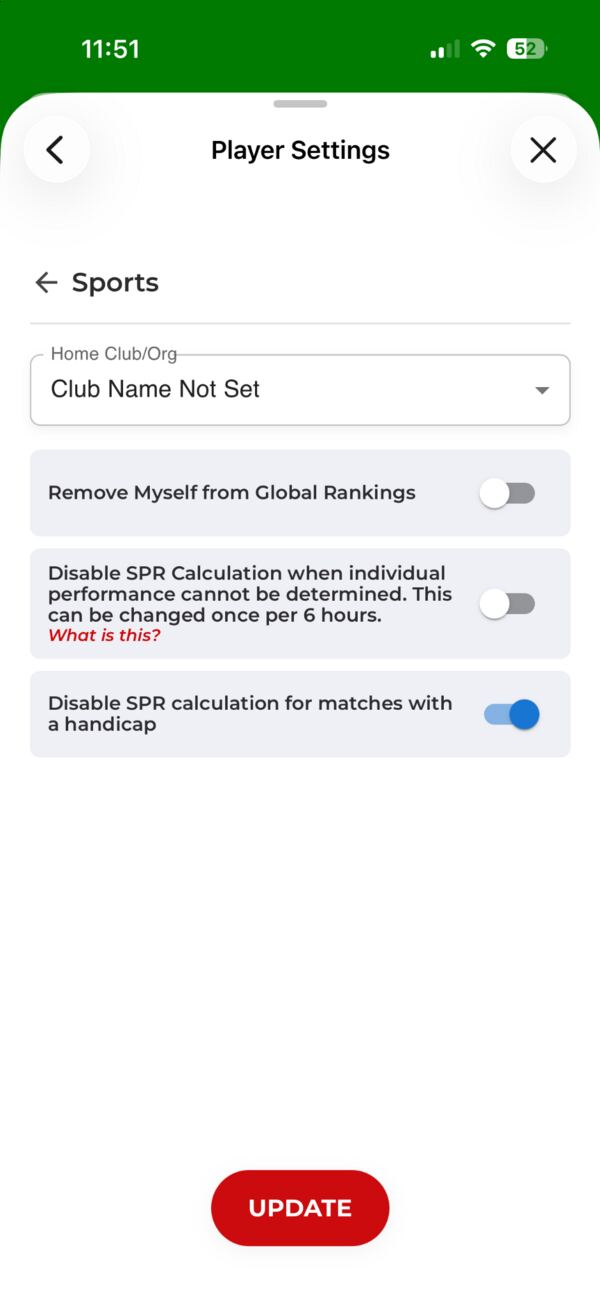
Open **Sports** to:

* Choose your home club or organization.
* Remove yourself from global rankings.
* Control SPR calculation when individual performance cannot be determined.
* Control SPR calculation for matches with a handicap.

Tap **Update** after making changes.

<figure><img src="https://2830358067-files.gitbook.io/~/files/v0/b/gitbook-x-prod.appspot.com/o/spaces%2F-MNzFwCQPtCEArD8DRaL%2Fuploads%2Fgit-blob-8592123f16c2e9a31f0ef725129f66109eb796cc%2Fplayer-settings-sports.jpg?alt=media" alt="Sports section of Player Settings"><figcaption><p>Sports settings control your home club, rankings, and SPR preferences.</p></figcaption></figure>

For how these preferences affect your rating, see [Scoreholio Player Rating](/player-help/player-help/spr+-1.md#disable-spr-calculation-when-individual-performance-cannot-be-tracked).

### Home club or organization

Clubs where you have played at least one tournament appear in the **Home Club/Org** list. Scoreholio initially assigns the club where you play your first game. Club changes are processed overnight.

## Notifications

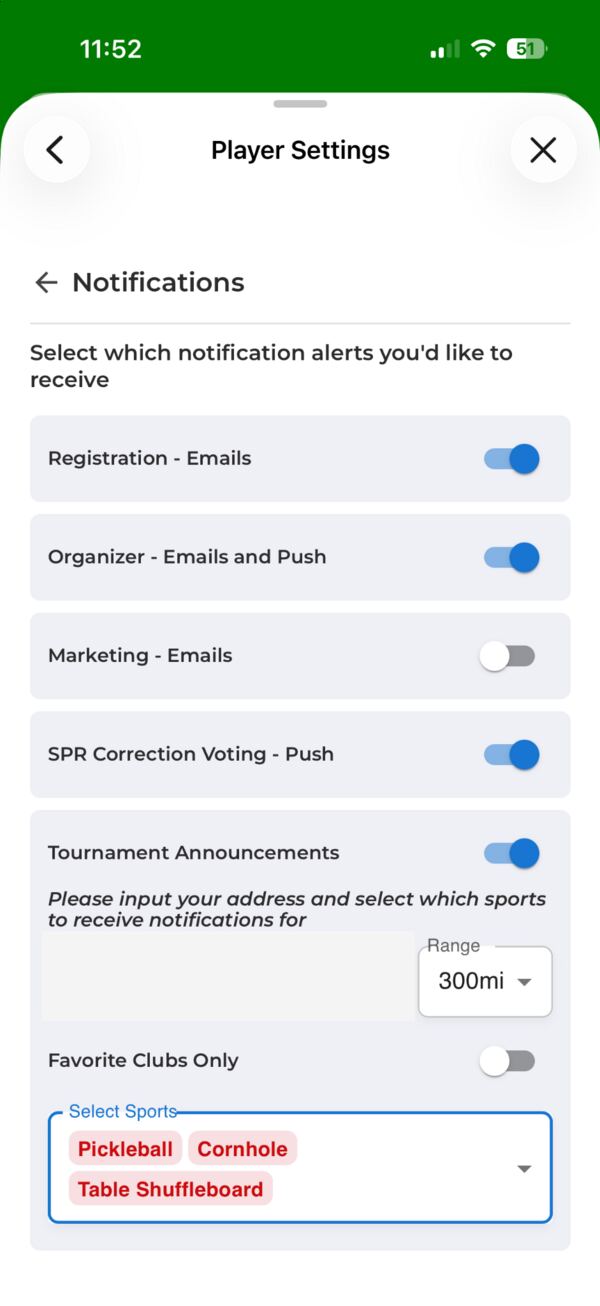
Open **Notifications** to choose which alerts you receive, including:

* Tournament-registration emails
* Organizer emails and push notifications
* Marketing emails
* SPR correction-voting push notifications
* Tournament announcements

For tournament announcements, you can set an address, distance range, favorite-clubs-only preference, and sports.

<figure><img src="https://2830358067-files.gitbook.io/~/files/v0/b/gitbook-x-prod.appspot.com/o/spaces%2F-MNzFwCQPtCEArD8DRaL%2Fuploads%2Fgit-blob-75a222173e8ed711813969f9df6b30e7ab88f886%2Fplayer-settings-notifications.jpg?alt=media" alt="Notifications section of Player Settings"><figcaption><p>Choose the email and push notifications you want to receive.</p></figcaption></figure>

## Change your avatar

Your avatar is changed from Player Profile rather than from one of the Player Settings categories.

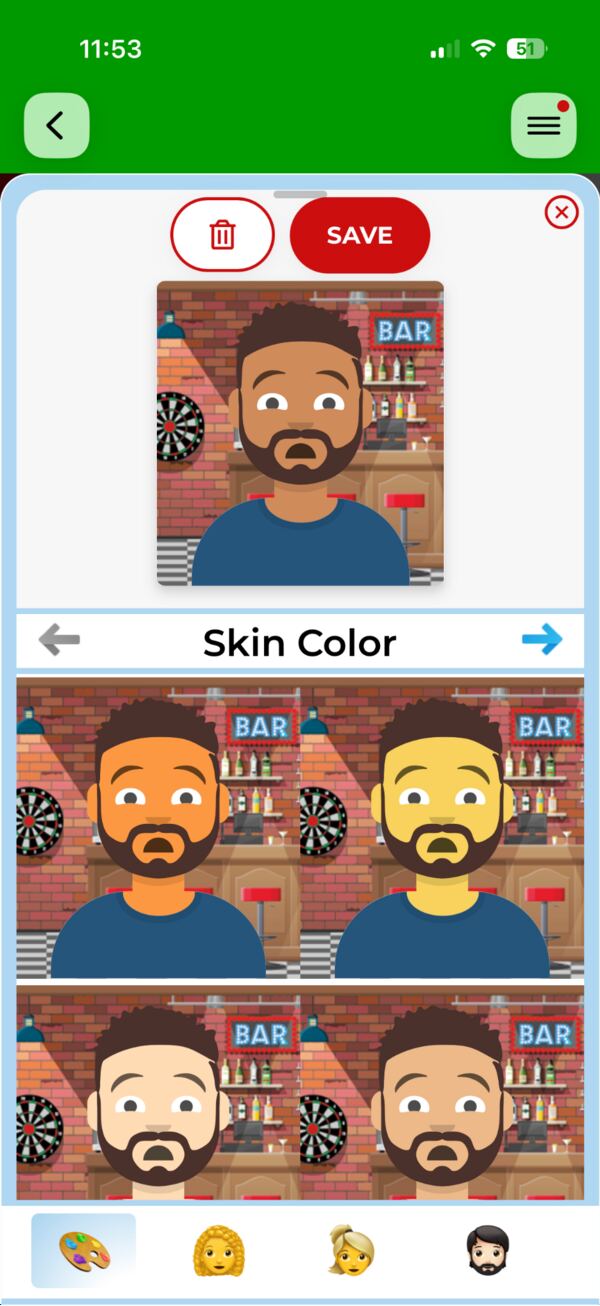
1. Open **Player Profile**.
2. Tap the red **pencil icon** beside your avatar.
3. Customize your avatar.
4. Tap **Save**.

<figure><img src="https://2830358067-files.gitbook.io/~/files/v0/b/gitbook-x-prod.appspot.com/o/spaces%2F-MNzFwCQPtCEArD8DRaL%2Fuploads%2Fgit-blob-c3412c03452043060dee53471a15eac5be083927%2Fplayer-settings-avatar.jpg?alt=media" alt="Scoreholio player avatar editor"><figcaption><p>Use the arrows and category icons to customize your avatar, then tap Save.</p></figcaption></figure>

## Delete your account

The **Delete Account** option appears at the bottom of the main Player Settings screen. Deleted accounts can be restored if you create an account again with the same email address within 30 days.